
Key Takeaways
- Off-the-shelf software gets you running faster and cheaper upfront; custom software costs more early but gives you full control over features, data and long-run total cost of ownership.
- Most Australian businesses already pay for cloud software in some form, per ABS data — so the real comparison today is usually custom build vs SaaS subscription, not custom vs boxed software.
- The decision driver competitors underplay is compliance: Australian Privacy Principle 8 makes your business accountable for where a vendor stores and processes customer data, even in the cloud.
- There's rarely a universal right answer. A hybrid approach — an off-the-shelf core plus custom integration — is the realistic middle path most comparison articles skip entirely.
Every Australian business running on spreadsheets, disconnected apps, or a SaaS tool that almost fits eventually asks the same question: custom software vs off-the-shelf software, which is actually right for us? The honest answer depends less on features than most comparison guides suggest, and more on cost over time, compliance exposure, and how tightly the software needs to match a workflow that makes your business different from competitors using the same off-the-shelf tool. This guide walks through a practical, Australian-specific comparison: real cost differences, the data compliance angle most articles miss, when each option genuinely fits, and the hybrid approach many businesses land on. If you're past the comparison stage and ready to scope a build, our custom software development team can work through specifics with you, but the framework below applies whichever direction you're leaning.
What's the Difference Between Custom and Off-the-Shelf Software?
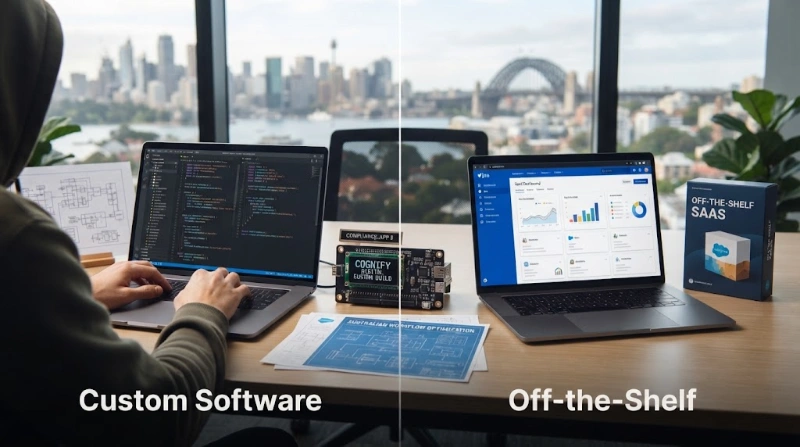
Off-the-shelf software, also called commercial off-the-shelf (COTS) or SaaS, is a pre-built product sold to many businesses with the same general needs. Custom software is designed and built specifically for one business's workflow, data and goals. The trade-off is speed and cost now versus fit and control later.
Most businesses aren't actually choosing between a boxed product and a from-scratch build anymore. The more common decision in 2026 is custom development versus a SaaS subscription that covers 70 to 80% of what you need and asks you to adapt the rest of your process to fit it.
Custom Software vs Off-the-Shelf Software: Full Comparison
| Factor | Custom Software | Off-the-Shelf Software |
| Upfront cost | Higher — design and build from scratch | Lower — licence or subscription fee |
| Time to first use | Weeks to months, depending on scope | Immediate to days |
| Ownership of the product | Yours, per your contract's IP terms | The vendor's; you hold a licence to use it |
| Fit to your exact workflow | Built to match it | You adapt your workflow to the product |
| Ongoing cost driver | Your own maintenance and hosting | Recurring subscription, often per seat |
| Vendor dependency | Low — you control the roadmap | High — tied to vendor pricing, roadmap and continuity |
| Data location and compliance control | Set by your own contract and hosting choice | Set by the vendor's infrastructure and terms |
The Real Cost Comparison: Total Cost of Ownership, Not Sticker Price
A licence fee or subscription price is not the full cost. ABS data on business use of information and communication technology shows paid cloud computing adoption among Australian businesses has climbed for years, most recently measured at 55% of businesses using paid cloud services. For most businesses today, the real comparison isn't custom development versus a one-off software purchase; it's custom development versus a recurring SaaS subscription that compounds every year you keep paying for it.
Run the comparison over three years, not month one. Off-the-shelf subscription costs typically scale with seats, usage tiers or add-on modules, and rarely shrink. Custom software carries a larger build cost upfront, followed by maintenance, hosting and periodic feature work, which you control the pace and scope of. Neither is automatically cheaper; it depends on your headcount growth, how many add-ons you'd otherwise need, and how long you expect to run the system.
Compliance and Data Risk: The Factor Most Comparisons Skip
Most custom-vs-off-the-shelf articles compare features and skip compliance entirely. Australian Privacy Principle 8 (APP 8), via the OAIC's APP Guidelines makes your business accountable for what happens to personal information once it's disclosed to an overseas recipient, including many SaaS and cloud providers, regardless of how well-known or reputable that provider is. Using an off-the-shelf tool doesn't transfer that accountability away from you.
This matters most if you handle health records, financial data, or other sensitive personal information: NDIS providers, allied health practices, fintech and professional services businesses in particular. With custom software, you choose exactly where data is hosted and how it's handled, which can simplify this accountability considerably. With off-the-shelf software, you need to actually read the vendor's data handling terms, not assume a well-known brand name covers you.
Security and Vendor Dependency
Software you don't build still needs patching on a schedule you don't control. The Australian Signals Directorate's Essential Eight patch applications guidance recommends patching high-risk vulnerabilities within two weeks, and critical ones within 48 hours, of a vendor releasing a fix. With off-the-shelf software, you're dependent on the vendor shipping that fix on time, and on the product still being supported at all — vendors do discontinue products and force migrations.
Custom software shifts that dependency onto your own team or development partner. You control the patch cycle and the roadmap, but you also carry the full responsibility for keeping both current. Neither option removes security work; it just decides who's accountable for doing it.
When Off-the-Shelf Software Is the Right Call
- Your workflow is genuinely standard — accounting, payroll, email, basic CRM — and differentiating on the tool itself gives you no competitive advantage.
- You need to be operational within days or weeks, not months.
- Budget for a large upfront build isn't available, and ongoing subscription cost is more manageable than a capital outlay.
- You don't have, and don't want to build, the internal capability to manage custom software long-term.
When Custom Software Is the Right Call
- Your core workflow is what makes your business competitive, and forcing it into a generic tool blunts that advantage.
- You're paying for multiple overlapping SaaS tools and stitching them together with manual work or fragile integrations.
- Compliance or data residency requirements make vendor-controlled hosting a genuine risk, not just a preference.
- You expect to run the system for years, where ownership and control compound in value over that time.
The Hybrid Approach Most Businesses Actually End Up Using
Few businesses need a purely custom or purely off-the-shelf answer. A common, practical middle path is an off-the-shelf core — a CRM, accounting platform or e-commerce engine — connected through custom integration or a custom layer built on top for the parts of the workflow that genuinely differ from every other user of that tool. This gets the speed and cost benefit of off-the-shelf software for the standard parts of the business, while keeping custom control over the parts that actually matter competitively.
A Practical Decision Framework
1. Map Your Core Workflow
Write down the one or two processes that genuinely differentiate how you operate, separate from administrative work any business does the same way.
2. Price the Three-Year Total Cost, Not Just the Licence Fee
Model subscription cost against projected seat or usage growth, and compare it against a build-plus-maintenance estimate for the same period.
3. Check Your Compliance and Data Residency Requirements
Confirm whether APP 8 obligations, industry-specific regulation, or client contracts constrain where and how your data can be hosted.
4. Test Integration With Your Existing Stack
Check how cleanly a candidate off-the-shelf tool connects to what you already run, before assuming integration will be simple.
5. Decide on Differentiation Value, Not Sunk-Cost Comfort
Choose based on where the software needs to be, not on which option feels more familiar because it's what you've always used.
Common Mistakes When Choosing Between Custom and Off-the-Shelf Software
- Comparing sticker price instead of total cost of ownership over several years.
- Assuming a well-known SaaS brand automatically satisfies Australian privacy and data-handling obligations.
- Building custom software for a genuinely standard workflow that an off-the-shelf tool already handles well.
- Forcing a differentiating workflow into an off-the-shelf tool and losing the advantage that workflow created.
- Ignoring vendor continuity risk — what happens to the business if the SaaS provider is acquired, re-prices, or shuts the product down.
- Skipping a written decision framework and choosing based on whichever vendor pitched hardest.
Disclaimer
Cost structures, compliance obligations and vendor terms referenced in this article reflect published guidance and data at the time of writing and can change. Confirm current APP 8 obligations with the OAIC, current Essential Eight guidance with the Australian Signals Directorate, and current pricing with any specific vendor before making a build-or-buy decision.
Frequently Asked Questions
What is the main difference between custom and off-the-shelf software?
Off-the-shelf software is a pre-built product sold to many businesses; custom software is designed and built specifically for one business's workflow and data.
Is custom software always more expensive than off-the-shelf software?
Upfront, usually yes. Over several years, it depends on subscription growth, add-on costs and how long you'll run the system — custom can become cheaper over time.
Is off-the-shelf software secure enough for an Australian business?
It can be, but you remain responsible under Australian Privacy Principle 8 for how a vendor handles your data, including overseas processing, regardless of how secure the vendor claims to be.
Can off-the-shelf software be customised?
Many off-the-shelf tools offer configuration, add-ons or integrations, but core functionality and architecture stay controlled by the vendor, not you.
What is vendor lock-in and why does it matter?
Vendor lock-in is dependency on one provider's pricing, roadmap and continuity. It matters because switching costs, data export limits and sudden price changes can all follow from it.
Is a hybrid approach of custom and off-the-shelf software common?
Yes. Many Australian businesses run an off-the-shelf core system with custom integration or a custom layer for the workflow that differentiates them.
How long does custom software development take?
It varies widely by scope, but a well-defined first release commonly takes a few months rather than weeks, which is slower than adopting an off-the-shelf tool.
Does my business own the IP for custom software?
That depends entirely on your development contract. Confirm IP assignment terms explicitly before starting a build; don't assume ownership transfers by default.
What happens if an off-the-shelf vendor shuts down or changes pricing?
You're dependent on their continuity. Check data export options and contract terms upfront, since migrating off a discontinued or re-priced SaaS tool can be costly and disruptive.
Should a startup choose custom or off-the-shelf software first?
Most early-stage businesses start with off-the-shelf tools to move fast and conserve capital, then move specific workflows to custom software once those workflows are proven and differentiating.
If you're weighing this decision for your own business, including where a mobile app component fits into a custom build, our custom software development team at Cognify Digital can work through your specific workflow and cost comparison with you — or get in touch directly to talk it through.


0 Comments